
When you work in a Microsoft Excel spreadsheet, you expect text to display properly. But sometimes, the text does not show in the next cell, which creates confusion. Encountering this issue is common, yet it has simple solutions that can be tried. In this post, I will mention the possible ways to solve Excel text not showing in next cell problem in no time.
 Priyanka Sahu
ISERROR Function in Excel Secrets – Fix Excel Formulas in Seconds (2025 Update)
![How To Use Excel ISERROR Function? [ 3 Easy Examples]](https://www.repairmsexcel.com/blog/wp-content/uploads/2022/02/Excel-1.jpg)
In Microsoft Excel, various formulas and functions are used to perform simple and complex calculations. One such function stands out for its error-detection capabilities: “ISERROR.” It helps to detect a specific cell that contains an error value, paving the way for a healthy & error-free spreadsheet. Well, in this post, I will provide a brief overview of this function & explore how to use ISERROR function in Excel for easy calculations.
How to Fix “Excel Personal Macro Workbook in The Startup Folder Must Stay Open for Recording” Error?

In Microsoft Excel, the Personal Macro Workbook (Personal.xlsb) is a hidden file that saves macros you can use across any workbook. It loads automatically when the Excel application starts. However, sometimes, you may face “Microsoft Excel: Personal macro workbook in the startup folder must stay open for recording” when this file fails to load or when trying to record a macro.
Fixed Excel Formulas Not Calculating Automatically- 7 Tips
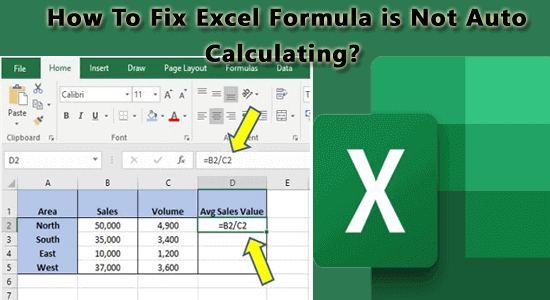
Microsoft Excel is an excellent spreadsheet program that helps with various data manipulation tasks and performing simple as well as complex calculations, or automating calculations. However, sometimes users come across Excel formulas not calculating automatically due to various reasons. Well, this post describes all the possible methods to fix this issue successfully. So, let’s try them one by one until you overcome this problematic situation.
Excel Upload Blocked We Ran into A Problem with This File Error? Here’s the Fastest Ways!

It is quite common to come across different errors & issues while working on your Excel spreadsheet. One such annoying error message is “UPLOAD BLOCKED- we ran into a problem with this file and can’t save any new changes…”. This error usually appears when Excel fails to sync or save files correctly, especially with OneDrive or SharePoint.
Solving Excel “DataFormat.Error We Couldn’t Convert to Number” Error!

If you work with Microsoft Excel often, you’ve likely seen the “DataFormat.Error we couldn’t convert to number.” message. This peculiar error appears when Excel can’t recognize certain data as numeric values. It can ruin the working experience, but fortunately, it’s fixable.
Microsoft Excel Reopens After Closing – How to Fix It Quickly?
Microsoft Excel is a spreadsheet application, which is used worldwide for tasks such as data analysis, budgeting, financial modeling and data management. However, many users face an annoying issue where Microsoft Excel reopens after closing. This unexpected behavior can ruin the spreadsheet experience and interrupt the entire workflow. Fortunately, this problem can be easily solved by trying some quick methods mentioned in this post.
Focus Cell Button Not Showing in Excel? Stop Wasting Time, Fix It Fast!

The “Focus Cell” button helps you detect or highlight the active cell in your Excel spreadsheet. It is essential when dealing with large datasets or tables. But sometimes, this button disappears or not showing due to faulty add-ins, display settings, or corrupted Excel configurations, which can disrupt your spreadsheet work. Fortunately, focus cell button not showing in Excel can be easily solved by applying the methods mentioned in this post.
4 Methods: Fixing ‘The Application Experienced An Internal Error SSL’ Excel Error!

When using Microsoft Excel, you may encounter the frustrating warning message: “The application experienced an internal error SSL libraries.” This error typically appears when MS Excel cannot establish a secure connection. Due to this warning, certain Windows services and applications can’t use the updated protocols.
How to Convert Excel to Word Without Losing Formatting?
Converting Microsoft Excel data into Word is often required for reports, documentation, or presentations. However, many users struggle with losing the original layout or formatting when transferring their data. Luckily, there are some effective solutions on how to convert excel to word without losing formatting.