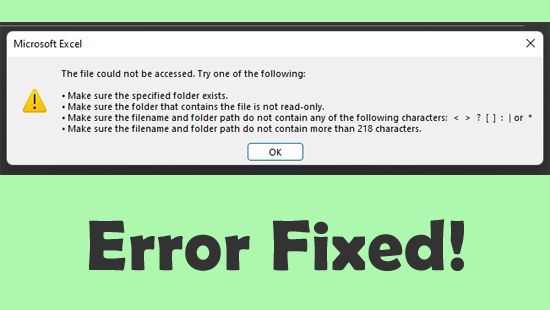
Stuck with the peculiar error message “Microsoft Excel: The file could not be accessed. Try one of the following.”? If so, you’re not alone. This error can stop you from opening, saving, or sharing important files. Fortunately, by applying some workable solutions mentioned in this blog, you can fix it quickly.
 Priyanka Sahu
How to Lock Cells in Excel? – (5 Working Ways)

It is vital to lock cells in Excel so that no one can modify the content of the protected cells without the owner’s permission. Therefore, if you also want to restrict someone from making changes to your Excel cells, just check out this blog. This article contains different ways to lock cells in Excel to prevent editing and make them protected.
Don’t Miss Out: Learn to Fix Excel Compile Error Expected End of Statement!

Microsoft Excel users often encounter compile errors or runtime errors when working with VBA macros. One such warning message is- “Compile error: Expected End of Statement.” This error usually occurs due to incorrect syntax, misplaced characters, or other possible reasons mentioned in this post.
Microsoft Has Blocked Macros from Running Error in Excel – Easy Fix Guide!

Microsoft recently tightened its security rules in Excel. Many users now face the “Security Risk- Microsoft has blocked macros from running because the source of this file is untrusted” error. Users conveyed that they received this error after opening an XLS/XLSX file containing macros downloaded from the internet. By default, Excel disables macros in files with potential risks to protect your system. Below you can see how the error looks like:
User-Defined Type Not Defined Error in Excel FIXED Instantly!

While running the VBA code in MS Excel, you may receive the notorious “Compile error: user-defined type not defined.” This runtime error can ruin your working experience. So, in this exclusive post, I will mention the possible causes and quick solutions to solve this error in no time with less effort.
Excel Compile Error Argument Not Optional FIX – Stop the Crash!

While running the VBA macros in MS Excel, you may receive the notorious “Compile error: Argument not optional.” This warning message can ruin your working experience. So, in this write-up, I’ll discuss the major factors & quick solutions to fix this error in no time with less effort.
9 Proven Fixes for Arrow Keys Are Not Working in Excel!
Last night, while working on my Excel spreadsheet, I was trying to use the arrow keys for easy switching between the cells, but the arrow keys are not working in Excel. I was feeling very depressed at that moment. Luckily, I found some quick methods by applying which I had easily fix this issue. However, those fixes are outlined in this post.
How to Fix “Run-Time Error 5 Invalid Procedure Call or Argument” Excel?
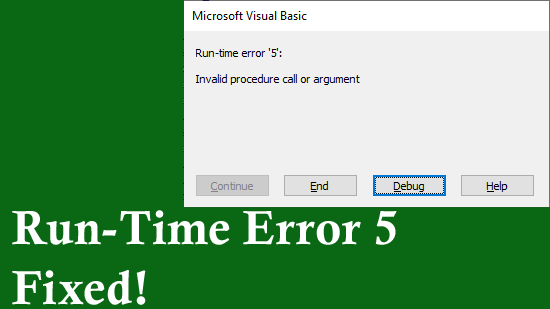
Encountering “Run-time error 5: Invalid procedure call or argument” while working on an Excel spreadsheet? Well, this error message occurs when you’ve a specified value that is out of the argument range or you’re using a procedure that isn’t available in the Excel platform. Luckily, various methods can help you tackle this situation. All the possible solutions are mentioned in this post to fix it quickly.
How to Create a Flowchart in Excel? (2025 Guide)
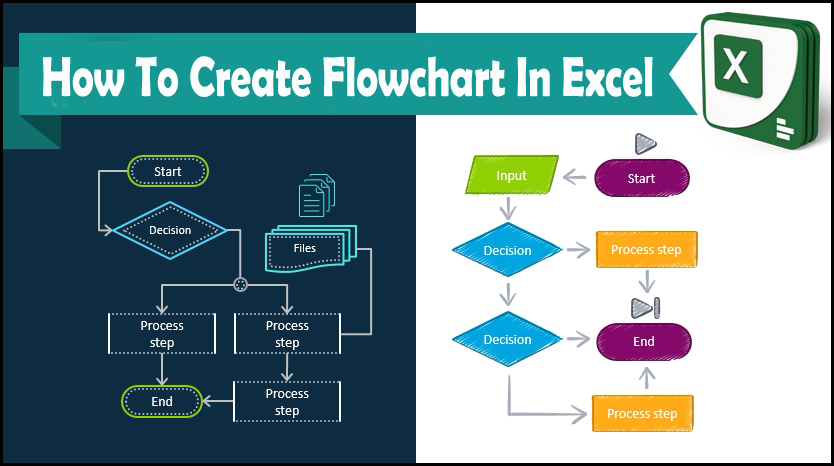
Everyone knows, MS Excel is a spreadsheet program that is mainly used to format & organize the large amounts of data. Besides, it is packed with various shapes galleries in order to make flowcharts. However, the big question is that how to create a flowchart in Excel? Well, this blog describes how to produce a flow chart in Excel to illustrate relationships between all your data points and for giving more clarity to your Excel spreadsheet.
Runtime Error 2146 Automation Error in Excel – The Ultimate Fix!

While working with an Excel spreadsheet, you may receive “run time error ‘- 2147 automation error.” This warning message usually occurs when macros, VBA scripts, or external add-ins fail to execute properly. But the good news is that you can troubleshoot it quickly by following the right solutions. In this post, you will learn all the possible ways to fix the runtime error 2146 automation error in Excel in no time.