End Excel Nightmares: Fixing Excel Stock Data Not Updating Issue

Fix Excel Stock Data Not Updating Issue

MS Excel is an influential tool that is mainly used for tracking & analyzing stock data. However, users sometimes come across issues with Excel stock data not updating, leading to potential inaccuracies. This issue is really irritating and it should be fixed ASAP. Therefore, I have equipped this blog that contains detailed information on the issue and a few working ways to address the Excel stock data not refreshing concern.

Read more

Your Excel Lifesaver: Tips for ‘Unable to Save Excel Workbook’ Issue

unable to save Excel workbook

Have you found yourself in a situation where the act of saving the Excel file becomes a difficult task? The unable to save Excel workbook issue is a perplexing challenge that users often come across, obstructing their ability to save vital data securely. In this blog, I will delve into the details of this problem, providing you with a complete guide to resolve it.

Read more

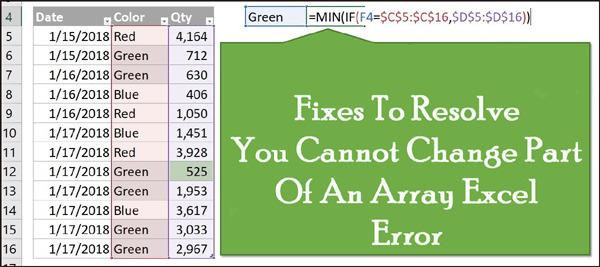
8 Pro Tips: Fixing Excel You Can’t Change Part of An Array Error

you can’t change part of an array Excel

In Microsoft Excel, the error message “You can’t change part of an array” typically arises when trying to edit or modify a portion of the array formula without respecting the array’s structure. When it occurs, interrupts the user’s working experience. The warning appears with a short message that looks like:

Read more

Excel Pro Hacks: Say Goodbye to Error 509 Excel Now!

Fix Error 509 Excel

The error 509 Excel is a pesky bug that appears unexpectedly while working on the workbook and, as a result, it stops the users from working. It pops up with a short error message “Error 509: Microsoft Excel has encountered a problem and needs to close. We are sorry for the inconvenience.”

Read more

How to Fix Circular Reference in Excel? – Quick Fix Tutorial!

Fix Excel Circular Reference Error

In Excel, users often encounter a common glitch known as “Circular References.” It’s frustrating to face this error as it disturbs your workflow and ruins your mood. Well, in this article, I delve into the details of circular reference error, exploring the common causes, and other vital information along with how to fix circular reference in Excel.

Read more

From Confusion to Clarity: Solving Run Time Error 57121 In Excel

Excel runtime error 57121

While working on an Excel workbook or spreadsheet, it is quite common to encounter runtime errors. And run time error 57121 in Excel is no exception. It occurs when an Excel application meets a problem that stops a specific task from being completed. Well, in this optimized post, I will explore the specifics of this error and other crucial information including the working methods to fix it.

Read more

Mastering Excel: How to Add Standard Deviation Bars in Excel?

As we all know, Excel is a widely used application in industries for maintaining a wide range of data, calculations, and growth stats. However, it is not an easy task to maintain huge data as it always has scope for error. Adding standard deviation bars can significantly boost your ability to interpret & communicate data accurately. In this blog, I will show you how to add standard deviation bars in Excel in a step-by-step process.

Read more