MS Excel Sheet Tab Missing? Here’s How to Fix It!

Fix Excel Tabs Not Showing Issue

When using Microsoft Excel, you may occasionally face the frustrating issue of an Excel sheet tab missing, making it challenging to navigate your workbook data. This blog explains the reasons why Excel worksheet tabs might disappear and offers step-by-step solutions for restoring them.

Read more

How to Recover Excel File That Was Saved Over? – 4 Easy Ways!

3 Methods To Recover Excel File That Was Saved Over

It is extremely important to save Excel files regularly as this prevents our original Excel file from being lost in any data loss situation. But what if your, saved over Excel file is lost somewhere without your consent? Frustrating right? Well, in this blog, we’ll walk through methods to recover Excel file that was saved over. So, let’s get started…

Read more

Master Spreadsheet Skills: How to Outline Columns and Rows in Excel?

How to Outline Columns and Rows in Excel

In Microsoft Excel, there are a wide variety of tools & features that help to keep workbook data clear and accessible. One such feature is outlining, it allows you to create a structured view of the data, enabling you to expand & collapse sections as needed. In this blog, I will discuss everything you need to know about how to outline columns and rows in Excel.

Read more

7 Easy Solutions for Excel Personal Macro Workbook Not Opening Issue!

Fix-Personal-Macro-Workbook-Not-Opening

In MS Excel, personal macro (.xlsb) is a hidden workbook that opens every time with the opening of the Excel application. In this workbook, you can easily store macro codes or user-defined functions that are written in VBA. Sometimes, you may face an Excel personal macro workbook not opening issue when opening the software. This blog explores common factors and practical solutions to address this problem effortlessly.

Read more

7 Solutions for Excel “This File Type Is Not Supported in Protected View” Error

Excel this file type is not supported in protected view error

Receiving the Microsoft Excel error “This file type is not supported in protected view” can be frustrating, especially when you need to access important workbook data. Well, this blog provides an in-depth exploration of this warning message, covering its major factors, and effective workarounds in resolving this error for smooth calculations and operations.

Read more

Fixed- The Workbook Cannot Be Opened or Repaired by Microsoft Excel Error (8 Ways)

Fix Workbook Cannot Be Opened Or Repaired Error

Imagine, you’re working on an important Excel workbook, and suddenly, you can’t open it. Instead, you get the error message: “The workbook cannot be opened or repaired by Microsoft Excel because it is corrupt.” Annoying, right? Don’t worry, in this useful guide, you will learn the major factors of this error and how you can fix it step by step.

Read more

[Fixed] Cannot Shift Objects Off Sheet in Excel!

Cannot Shift Objects Off Sheet in Excel

Do you find yourself frustrated by a warning message cannot shift objects off sheet in Excel? If so, you’re not alone! Without worrying just continue reading this blog to troubleshoot how to solve cannot shift objects off sheet in Excel and enjoy a seamless spreadsheet experience.

Read more

How to Delete Infinite Columns in Excel? – 3 Easy Methods

how to delete infinite columns in Excel

Deleting infinite columns in Microsoft Excel is a tedious task, which typically means removing unused or unnecessary columns from the spreadsheet to the right of your data. This action helps to clean up your spreadsheet & make it more manageable. In this blog, you will learn a step-by-step guide on how to delete infinite columns in Excel, ensure the smooth functioning of your worksheets, and boost productivity.

Read more

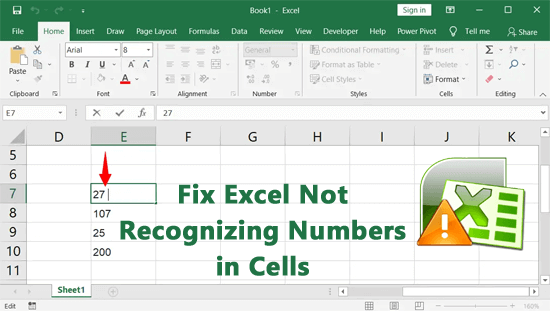
6 Easy Methods for MS Excel Not Recognizing Numbers in Cells!

Fix Excel Not Recognizing Numbers in Cells

Imagine inputting numerical data into Excel cells, only to find that the software treats them as text instead of numbers. This scenario is a common headache for many Excel users. When Excel not recognizing numbers in cells, it can lead to errors in calculations, charting, and data analysis, disrupting the integrity of your spreadsheets. Well, this article is going to be super beneficial for you. Here, we delve into the possible reasons and explore potential solutions to ensure seamless numeric data recognition.

Read more