Have you ever encountered the frustrating document not saved error in Excel when trying to save the spreadsheet? Well, it turns into fear when Excel throws such an error. But do not worry, you’re alone. This blog explores the depths of this exasperating error, its causes, and a few workarounds to solve it in a hassle-free manner.
Priyanka Sahu
Unlock Your Potential: Excel If Blank Then Skip to Next Cell Revealed!
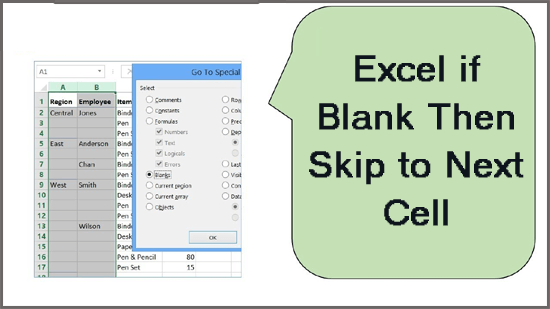
Blank cells within MS Excel refer to cells that do not contain any data. It happens due to numerous reasons like incomplete entries, data extraction issues, or intentional gaps in data sets. Sometimes, the blank cells in a spreadsheet can affect calculations, sorting, and filtering processes, leading to errors & data inconsistencies. Well, in this blog, I will mention some easy solutions for Excel if blank then skip to next cell. So, let’s check out this blog without skipping any section.
Unlock Grayed-Out Menus in Excel- 7 Secret Methods Revealed!
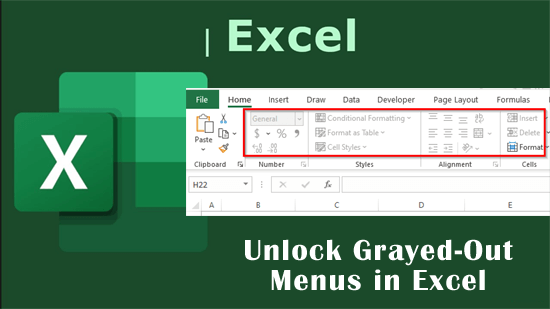
Are you in a terrible situation where your Excel menus turned grayed out? If so, you are not alone. These inactive options can hinder efficiency and restrict you from performing crucial tasks. For seamless workflow & better spreadsheet experience, it is important to fix the problem. In this blog, I’ll discuss the causes behind grayed out menu options & employing the tested methods on how to unlock grayed-out menus in Excel.
Fill Handle Not Working in Excel? Here’s What You Need to Do!
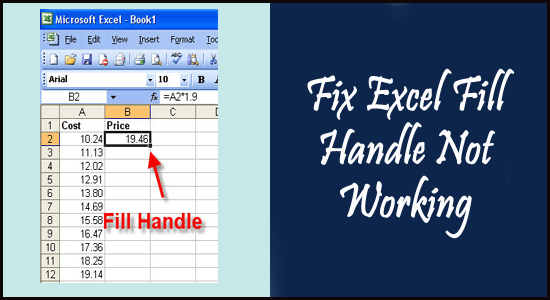
If you’re an Excel user, you are probably aware of the “Fill Handle” feature. It is a small square in the bottom right corner of a selected cell that allows you to auto-fill the list in spreadsheet columns or rows just by dragging through the mouse. However, encountering a situation where the fill handle not working in Excel worksheet can be frustrating. In this blog, I will discuss the reasons behind this issue and workable solutions to fix it.
Microsoft Excel “File Not Loaded Completely” Error? Try 7 Quick Fixes!
If you’ve ever encountered the dreaded error “File not loaded completely.” while working on a large-sized Excel spreadsheet, then you know how frustrating it can be. This message pops up unexpectedly, disturbing your workflow & potentially leading to data loss. But worry not, as I am here to guide you on how you can easily get rid of this error. I will also discuss the intricacies of Microsoft Excel file not loaded completely error and common roots for better resolutions.
7 Fixes Unveiled- Solve Pivot Table “Data Source Reference Is Not Valid.” Error!
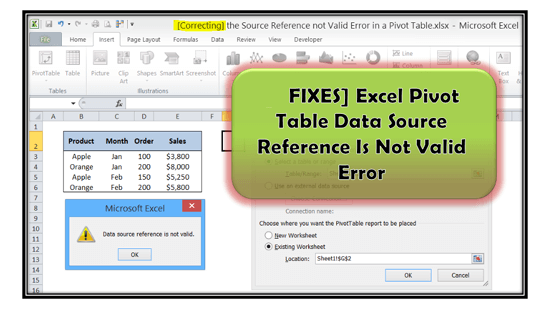
In MS Excel, Pivot tables allow users to summarize, analyze, and visualize large datasets with ease. These tables rearrange the info based on user-defined criteria, like rows, columns, values, filters, etc. However, at times, the user may encounter a “Data Source Reference is Not Valid” error when trying to create a private table within the spreadsheet. But don’t fret, in this blog, I’ll mention the causes and quick ways to fix pivot table data source reference is not valid error.
Unlock Excel Secrets: 7 Ways for XLSM File Not Opening Issue!
XLSM files are commonly known as Excel Macro-Enabled Workbook files. These files are widely used to store data with embedded macros. However, Excel users often encounter .xlsm file not opening issues. This situation can be frustrating and disturbing. In this blog, I will explore the common reasons behind this hiccup and effective workarounds to troubleshoot it.
Revealed: 8 Ways for Microsoft Excel Open But Can’t See Spreadsheet!
Have you ever encountered the frustrating scenario where Microsoft Excel open but can’t see spreadsheet? Well, it is a common issue that many users experience, often leading to confusion & wasted time. In this optimized blog, I will discuss every aspect of this issue, including major roots and effective methods to solve it and get back to your work efficiently.
Fix Excel “Run Time Error 438: Object Doesn’t Support This Property or Method”
While handling Excel spreadsheets or running a VBA code, encountering errors isn’t uncommon. One such cryptic error message that often baffles users is- “Run time error 438 Object doesn’t support this property or method.” In this article, I will explore the intricacies of this annoying error, its common causes, and provide quick solutions to resolve it.
Excel Text to Columns Not Working? The Solution is Right Here!
In Microsoft Excel, the “Text to Columns” is a significant feature that allows users to split the data in a single column into multiple columns based on a delimiter. Despite having data manipulation and other excellent advantages of this feature still, users are experiencing Excel text to columns not working issues. Thus, if you are facing the same problem while handling the spreadsheet, check out this post. This blog explores common reasons and provides quick resolutions to resolve this hiccup effectively.