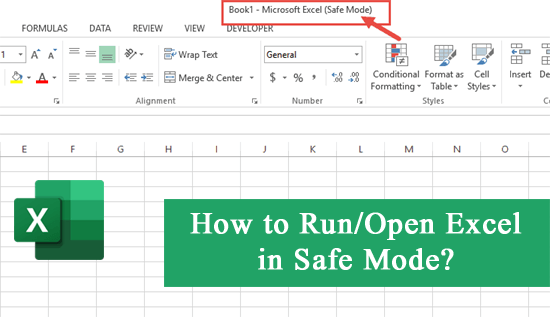
When working with Excel, encountering errors or issues can be annoying. These problems can ruin your working experience & result in data loss. However, there is an excellent way that can assist you in overcoming such challenges: running Excel in safe mode. In this post, I will show you how to open Excel in safe mode in a step-by-step process.
 Priyanka Sahu
#VALUE! Error in Excel Demystified: A Step-by-Step Guide

In Excel, while performing basic and complex calculations with tricky formulas, it is common to encounter various errors. One such error is- #VALUE, it’s frustrating to face as it disturbs the entire workflow. Thus, if you are currently facing this error while working on the spreadsheet, this blog will surely help you. In this post, I will discuss what the #VALUE! error is, its major causes, and other vital information including workarounds to fix #VALUE! error in Excel.
How to Use IFERROR In Excel? – IFERROR Insights & Pro Tips
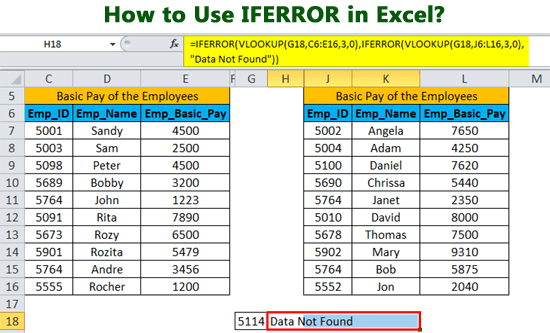
Microsoft Excel uses a wide range of functions and formulas for calculating values & correlating data purposes. One such function is- IFERROR. Many of you have asked the same question on the community websites that how to use IFERROR in Excel to handle errors while calculations/data processing.
Unlocking the Secrets to Filter Out Excel Data to Save Time and Effort

As we all know, filters are a handy tool in Microsoft Excel for managing & analyzing data in a spreadsheet. Whether you are dealing with large or small datasets, filters can save your valuable time & improve the data analysis efficiency. Many Excel users don’t know the best of using it and carrying out various functions easily in Excel. In this post, I will describe the amazing thing about Excel filters and how you can filter out Excel data to save time.
How to Transpose Data in Excel? – A Step-By-Step Guide

Very often users have to face a situation where their data in the MS Excel spreadsheet isn’t in the correct format for presentation or analysis. Thus, if you are in the same situation, you are not alone. Transposing data in the Excel can be the best solution to this issue. In this write-up, I will discuss the art of data transposition and other crucial info including the step-by-step methods on how to transpose data in Excel.
How to Recover Unsaved Excel File? – The Ultimate Guide
In this era, it is common to come across situations where important Excel file could be lost due to numerous reasons like software crashes, abrupt power outages, or accidental closure of the system without saving. Fortunately, this optimized post will teach you how to recover unsaved Excel files in no time. So, follow the step-by-step process mentioned in this post to get your job done.
So, without any further ado, let’s get started…
Say Goodbye to Clutter: How to Delete Highlighted Cells in Excel?

As we all know, MS Excel is commonly used for data analysis, organization, and visualization. Users can create workbooks and worksheets to store & manipulate data, create graphs and charts, perform calculations, etc. Under various situations, users need to highlight the cells in their workbook to draw attention & later need to clear them. In this tutorial guide, I will explore every aspect of how to delete highlighted cells in Excel and concise datasets.
How to Detect Malicious Macros in Office Files?

Macro malware has been a known problem for years. In fact, it is so widespread that Microsoft tries to address it with every update to its Office suite. However, the situation prevails. What can you do to protect yourself?
How to Ensure Collaborative Excel Workbook Security?

Excel workbooks are a comfortable way to facilitate collaborative work. It allows for efficient data sharing and ensures productivity. However, since it usually contains sensitive information, it’s paramount that all participants ensure full security. Users need to follow certain rules and best practices to prevent data breaches, unauthorized access, and accidental data loss. Yet, it is particularly difficult if collaboration involves users from different organizations or even those that are working from home.
