
Imagine you’re working on an important Excel document, and all of a sudden, a message pops up on the screen that says, “This file cannot be previewed because of an error in the Microsoft Excel previewer.” This error can disturb your entire workflow & potentially lead to data loss if not solved promptly. In this guide, I will mention everything you need to know about this error including its common reasons and step-by-step solutions to help you fix it with less effort.
 Priyanka Sahu
Why Does Excel Track Changes Greyed Out?- Get Fixes Here!

In Microsoft Excel, Track Changes is an excellent option to use mainly when you are working as a team member and all of you have the responsibility of maintaining the workbook correctly. With this feature, you can easily identify what and by whom the changes are done. But sometimes, this Excel track changes greyed out or it no longer seems available to get used. Fortunately, this problem can be solved by trying some effective ways.
Excel Macro Settings Greyed Out- Fix with 7 Ways!

In Microsoft Excel, macro settings can be greyed out or inaccessible due to numerous reasons, such as administrative restrictions, inappropriate file extension, incorrect security configurations, faulty add-ins, or file-specific settings. Regardless of the reasons, it can be easily fixed with some working tricks. In this blog, I will mention why Excel macro settings greyed out and how to fix this annoying problem in no time with less effort.
How to Enable Macros in Excel Windows/Mac?
In MS Excel, macros are the feature that is used when developing spreadsheets. On the other hand, we can say, that macros are automated actions or scripts in that save time by performing repetitive tasks. However, it is important to enable this feature to improve the spreadsheet’s functionality. In this blog, I will show you a complete step-by-step on how to enable macros in Excel Windows 10/11.
Fixed- Office Has Detected A Problem With This File Protected View Error

When trying to open an Excel document, you may experience “Office has detected a problem with this file, to help protect your computer this file cannot be opened. Editing it may harm your computer.” Encountering this message can be frustrating and appears due to various reasons. Below is the screenshot of the error:
Fixing Cannot Insert Object in Excel Error!
Have you ever been stuck with this “Microsoft Excel: Cannot insert object.” error meanwhile attempting to incorporate an external object into the spreadsheet? Do you have any idea why it’s occurring or how to resolve it? If not, then don’t fret, you are on the correct webpage. All you need to do is follow this comprehensive guide to understand the causes and solutions for cannot insert object in Excel.
How To Make Excel Table Automatically Expand?
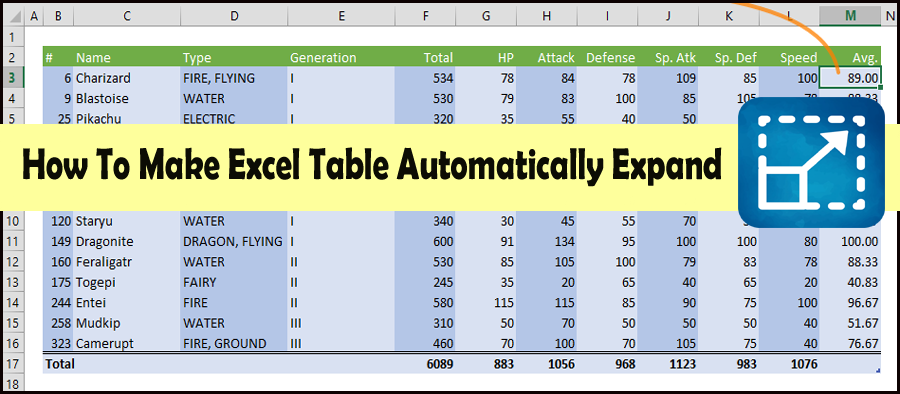
Building data models in Microsoft Excel using tables is the best way to maintain your data. But it becomes a challenging task over time. It’s because the table grows in record count by adding new data. At that time, it is necessary to expand the Excel table. Therefore, in this blog, I will show you how to make Excel table expand automatically with ease.
Fix Excel Error: This Workbook Contains One Or More Links That Cannot Be Updated!

Since Microsoft Excel is an excellent software though it is not free from errors and corruption issues. One such error is “This workbook contains one or more links that cannot be updated.” This annoying message usually occurs when external links in your Excel spreadsheet are missing or broken. In this helpful blog, I will show you how to solve this error and will also mention the roots behind this.
How to Remove Blank Rows in Excel Sheet? – 6 Ways!

Blank rows in Excel can clutter your spreadsheet data and make it harder to analyze. Hence, it is important to remove such blank rows to make your worksheet clear. Removing them efficiently saves time and ensures cleaner spreadsheets. Here’s the step-by-step guide on how to remove blank rows in Excel effectively to make the report understandable and readable.
10 Easy Ways to Fix STDOLE32.TLB Error When Opening Excel!

The STDOLE32.TLB Excel error is a common issue that frustrates many users. It is the result of crashing or failing Excel applications when in use. The error indicates that some code is not working during the runtime but it doesn’t mean it got corrupted. Such an error frequently appears as an annoying notification and sticks on your screen until it is fixed. This guide will explain the causes and solutions to STDOLE32.TLB error when opening Excel problem.